



New themes for the Eclipse IDE
We have published a set of additional themes for the Eclipse IDE: AI Neon, Dracula, VS Code Dark, GitHub Dark, Nord and One Light. Each one is a pure resource plug-in, CSS and preference definitions only, installable from an update site.
Every theme builds on the platform stylesheets of org.eclipse.ui.themes and recolors them through shared color definitions, so a theme change is a palette change rather than a rewritten stylesheet.
A theme also writes its editor, syntax highlighting and console colors into the affected preferences, the same way the built-in dark theme does.
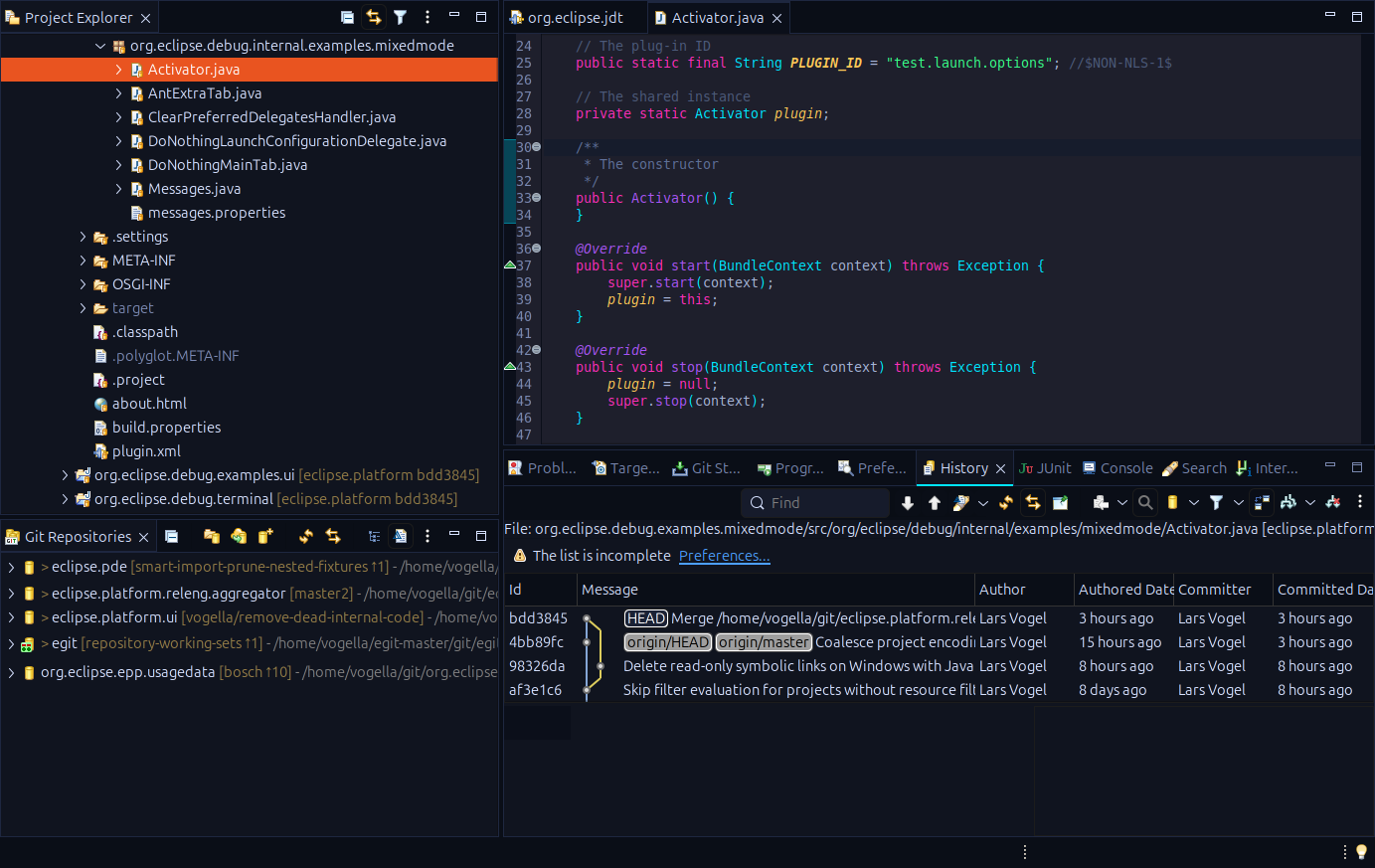
AI Neon
Near black surfaces with cyan and magenta accents on active elements.
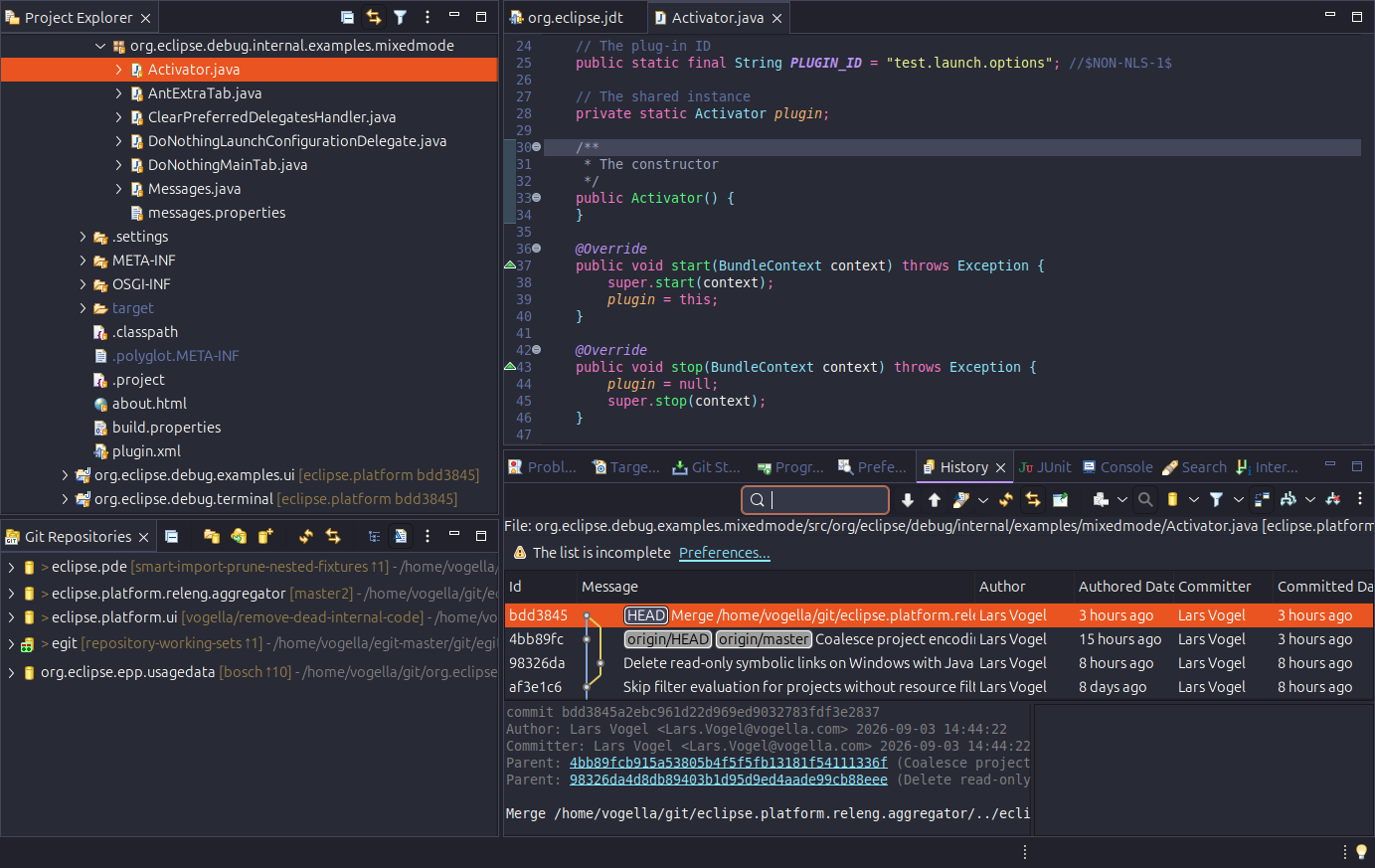
Dracula
The official Dracula palette on purple tinted surfaces with pink and purple accents.
VS Code Dark
The VS Code Dark Modern look, including its tab styling and the Dark+ syntax colors.
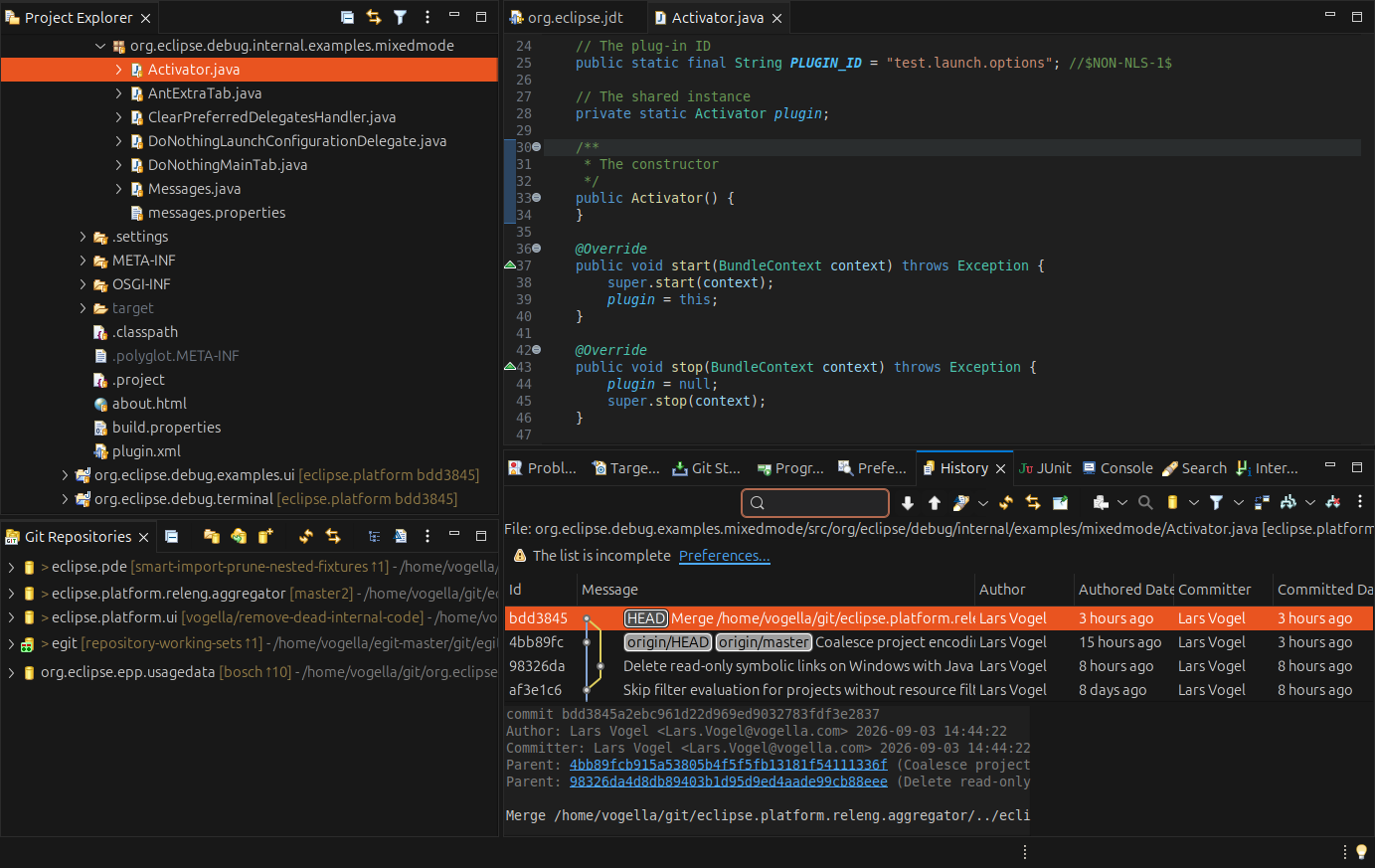
The screenshots show the same workspace, the same file and the same window, captured on Linux with GTK. They were taken through our MCP server for the Eclipse IDE: an agent switched the theme, restarted the IDE and captured the window, three times in a row.
Why we build themes
The themes are also our test bed for the theming capabilities of the Eclipse platform itself. Every palette that does not fit exposes a widget the CSS engine cannot reach, a color that is hard coded somewhere in SWT or JFace, or a preference that is not styled at all. We fix those in the platform, which benefits every theme and every Eclipse RCP application.
If your RCP application needs a modern look or an upgrade to a current Eclipse release, we offer this as a service: Eclipse RCP upgrade.
Installing
In Eclipse, choose Help > Install New Software and add the update site:
https://vogellacompany.github.io/eclipse-themes/
Every theme is a feature of its own, so install one, several or all six. Then switch under Preferences > General > Appearance.
Sources and issues: github.com/vogellacompany/eclipse-themes. Please open an issue there if a theme renders something wrong on your platform.