



An AsciiDoc editor for the Eclipse IDE
We have published an AsciiDoc editor for the Eclipse IDE. It is built on LSP4E and TM4E and uses a language server of its own, so editing, diagnostics and the preview all work from one model of the document.
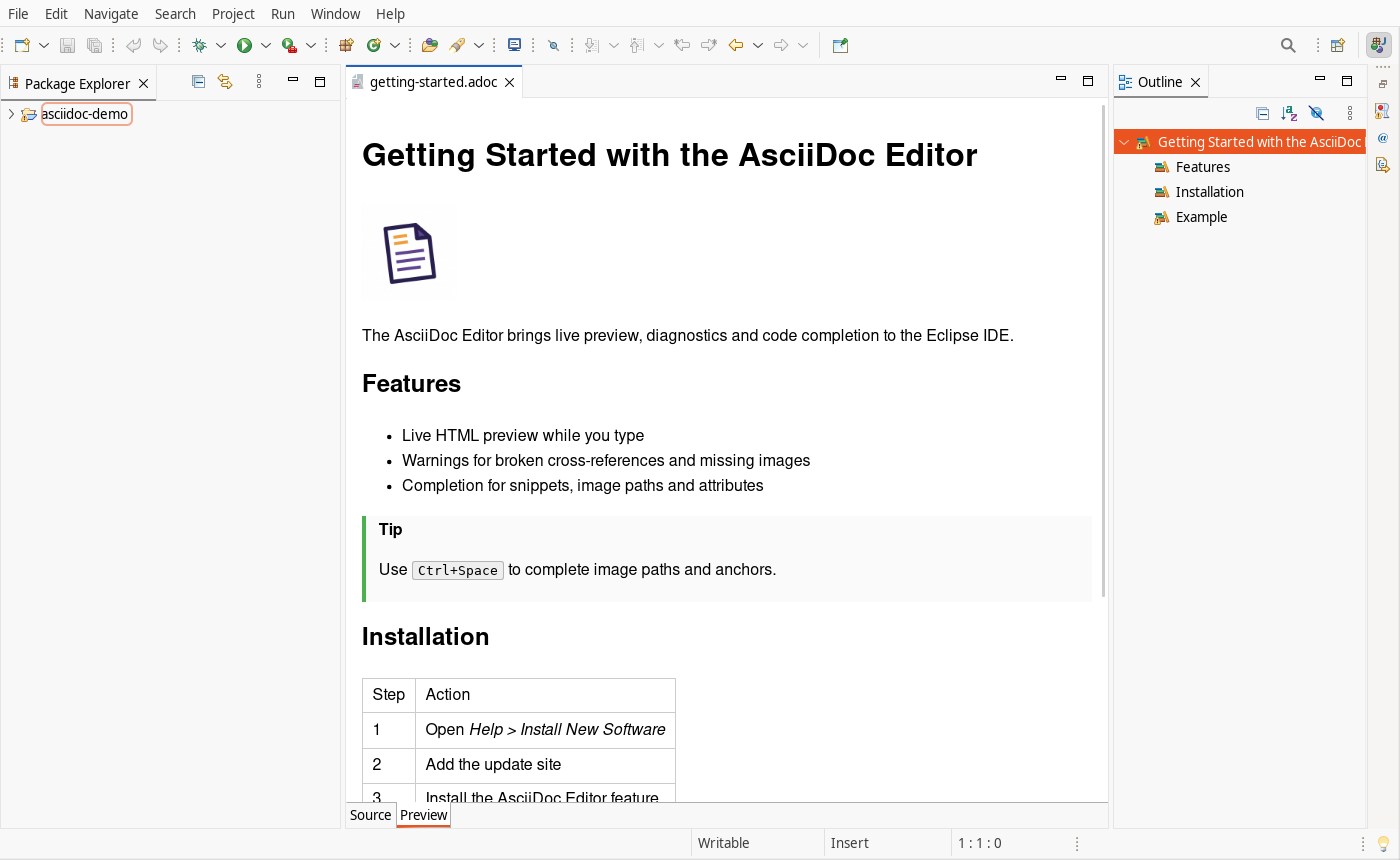
The editor has two tabs: Source for editing and Preview for the rendered HTML, which updates as you type. The preview covers lists, tables, admonitions, source blocks, images and includes.
Beyond the preview, the editor offers:
- Errors for missing included files, and warnings for missing images, broken cross-references, duplicate anchors and broken file links
- Code completion for snippets, image and include paths, anchors and document attributes
- Go to Definition for anchors, headings and included files, plus clickable
include::,image::and URL links - Folding for sections, comment blocks and delimited blocks
- Image lookup through
imagesdir, with a fallback to a siblingimages/orimg/folder
Installing
In Eclipse, choose Help > Install New Software and add the update site:
https://vogellacompany.github.io/eclipse-asciidoc/
The editor is also listed on the Eclipse Marketplace.
Sources and issues: github.com/vogellacompany/eclipse-asciidoc. Please open an issue there if a document does not render the way you expect.