



Gruvbox Material theme for the Eclipse IDE
Our set of Eclipse themes has a new member: Gruvbox Material. It follows sainnhe’s popular Gruvbox Material palette, which tones down the warm retro colors of the original Gruvbox to something that is easy on the eyes for a full working day.
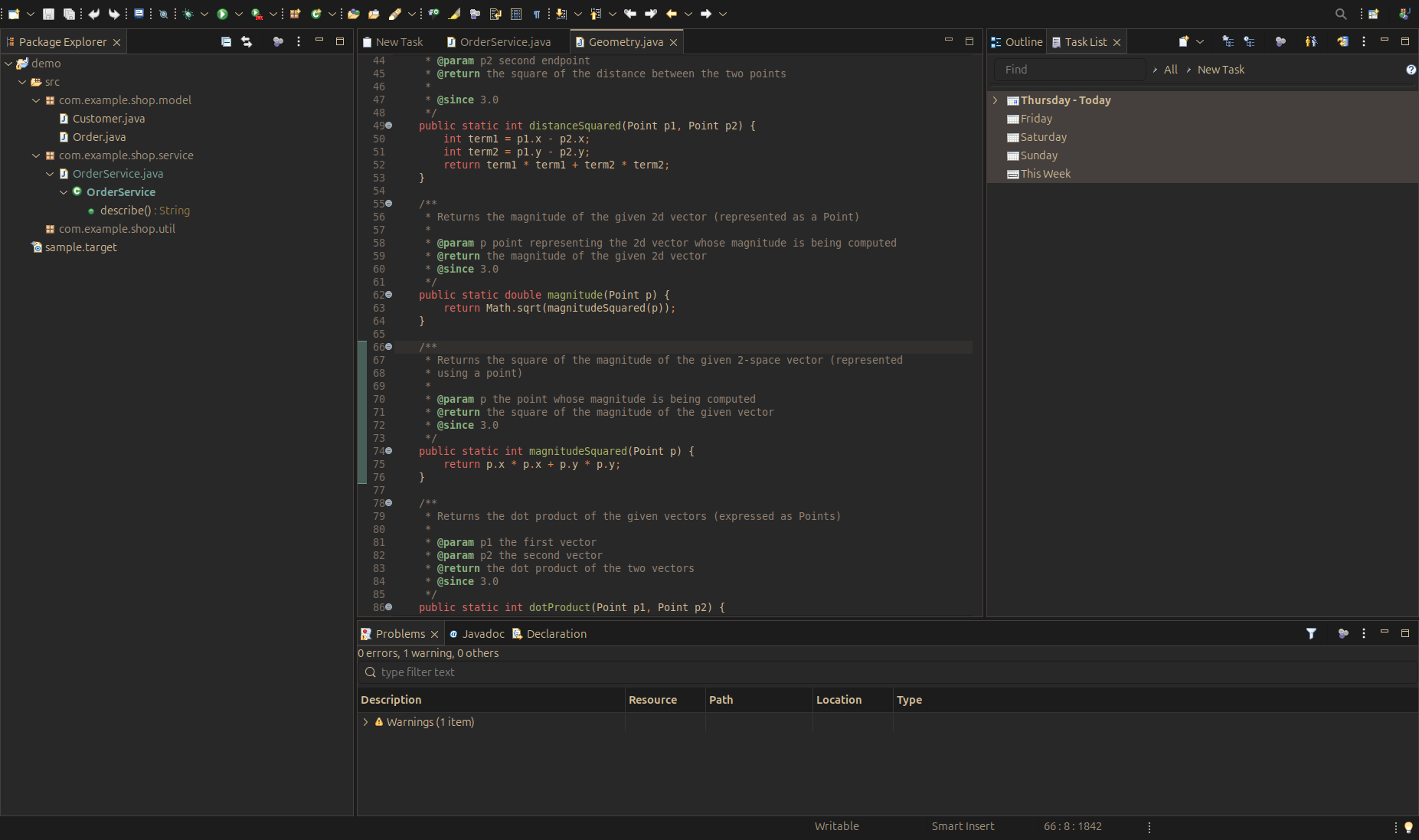
The palette
The theme is based on the VS Code extension of Gruvbox Material with its default medium background and the material foreground.
Editors and views sit on a soft dark brown #292828, while the surrounding window chrome uses the darker #1C1C1C of the extension’s flat workbench.
Text is a warm #D4BE98, and Java code uses the extension’s syntax roles: red keywords, yellow strings and green functions.
We made one deliberate change to the original.
The extension’s lighter greys, which it uses for muted text, fail the WCAG AA contrast ratio on these surfaces.
The Eclipse theme uses the brighter grey #A89984 for muted text and the tab keyline instead, so secondary information stays readable.
Like the other themes, Gruvbox Material also writes its editor, syntax highlighting and console colors into the matching preferences, so the Java editor, the console and the views all follow the palette.
The screenshot was taken through our MCP server for the Eclipse IDE: an agent installed the theme from the update site, restarted the IDE, switched the theme and captured the window.
Installing
In Eclipse, choose Help > Install New Software and add the update site:
https://vogellacompany.github.io/eclipse-themes/
Select the Gruvbox Material feature, restart, and switch to it under Preferences > General > Appearance. If you already added the update site for one of our other themes, Gruvbox Material is listed there as well.
Sources and issues: github.com/vogellacompany/eclipse-themes. Please open an issue there if the theme renders something wrong on your platform.